Matrix Grid
Routing View
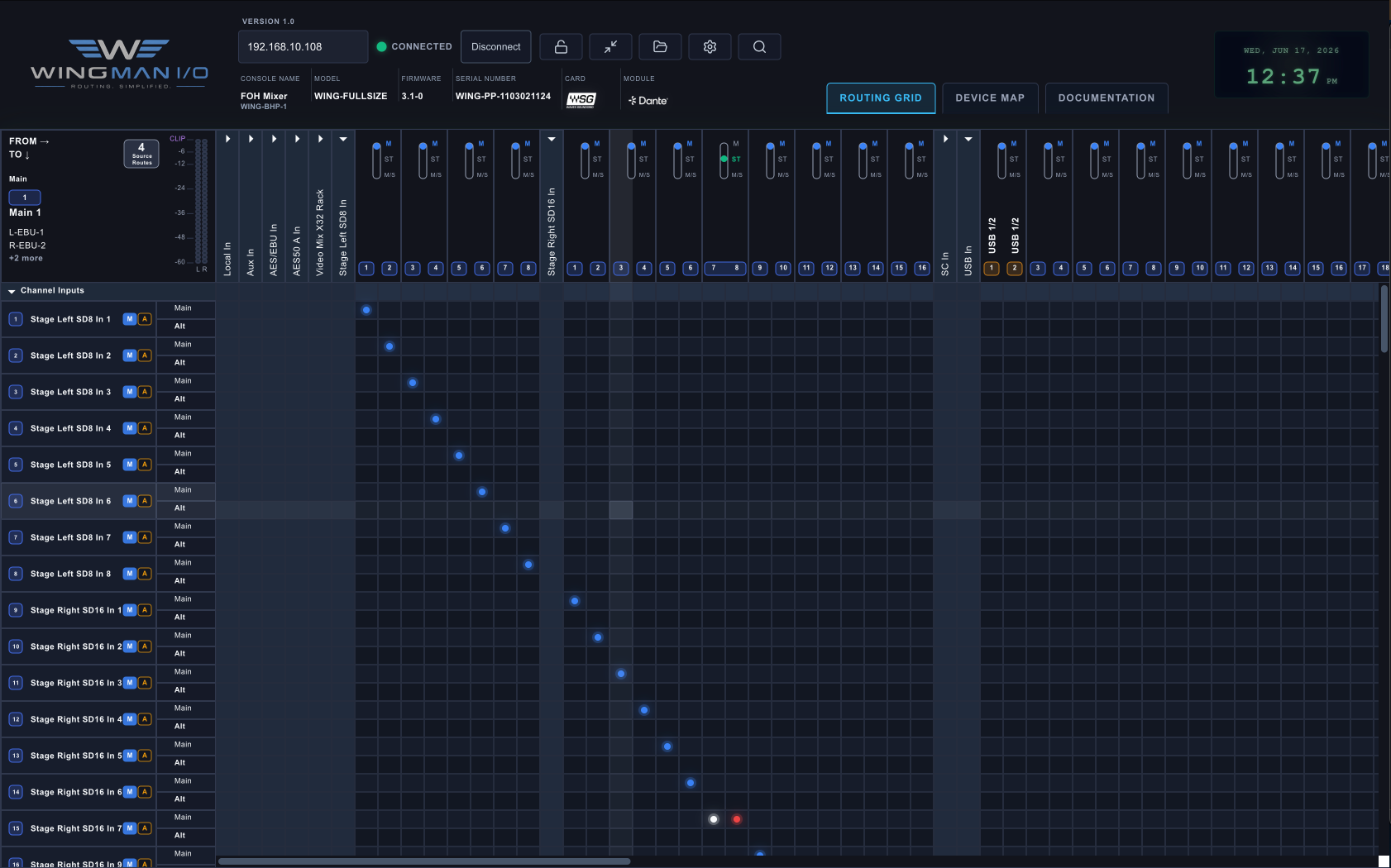
See sources, destinations, channel names, active routes, and patch context in one clear grid.

WINGMAN I/O is a smarter routing companion for the Behringer WING, built to make complex I/O patching clear, fast, and far less risky.
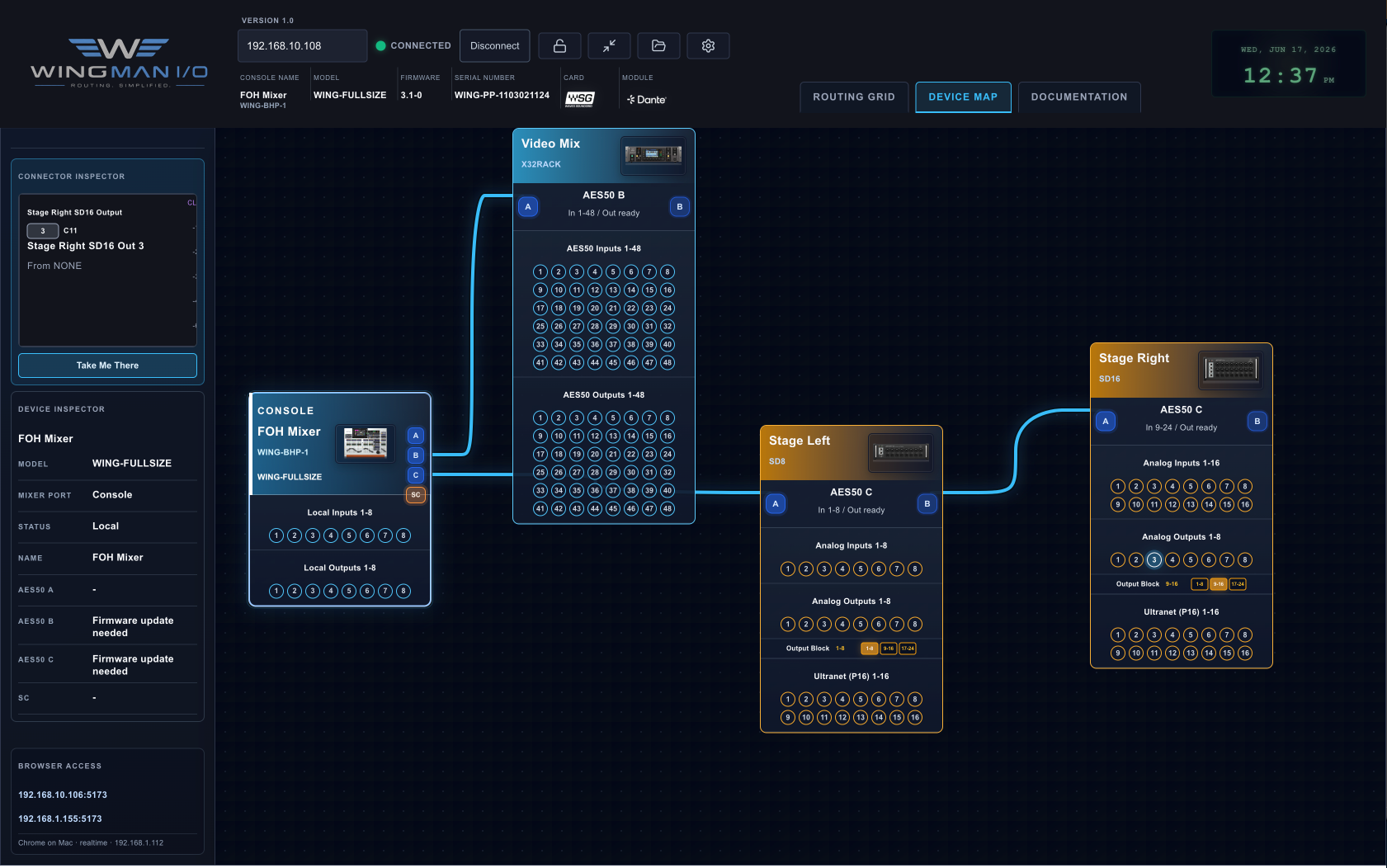
Move between a detailed routing matrix and a topology-first device map so you can understand both the signal path and the physical system.
The WING is powerful. WingMan I/O focuses on the visual context, documentation, and system-level clarity that can be hard to manage from the console alone.
WINGMAN I/O gives audio engineers a visual routing grid, live device topology map, friendly naming, color coding, quick edits, routing conflict warnings, and printable documentation so you can see what is connected and what is routed.
Instead of digging through console pages and guessing what AES50, StageConnect, local, USB, or stagebox ports are doing, WINGMAN I/O turns the whole system into a readable map.
It is especially useful for real-world live sound setups where stageboxes, console routing, channel names, and output patches need to stay organized across rehearsals, shows, volunteers, and changing gear.
WingMan I/O is built around the details that matter on real shows: routing, stageboxes, naming, documentation, and troubleshooting.
Understand your entire signal flow at a glance with a clean, interactive grid.
Visualize device relationships so the physical rig matches what you think is patched.
Keep stageboxes, channels, and ports readable across rehearsals, shows, and crews.
Spot duplicate ranges, confusing blocks, and risky assumptions before they bite you.
Keep system files for repeat rigs, prep days, and offline planning.
Create cleaner patch sheets, input lists, and system notes for crews and clients.
WINGMAN I/O helps you safely modify your WING routing without losing track of the physical world behind the patch grid.
Get notified when WingMan I/O is ready for testing, screenshots, updates, and launch details.